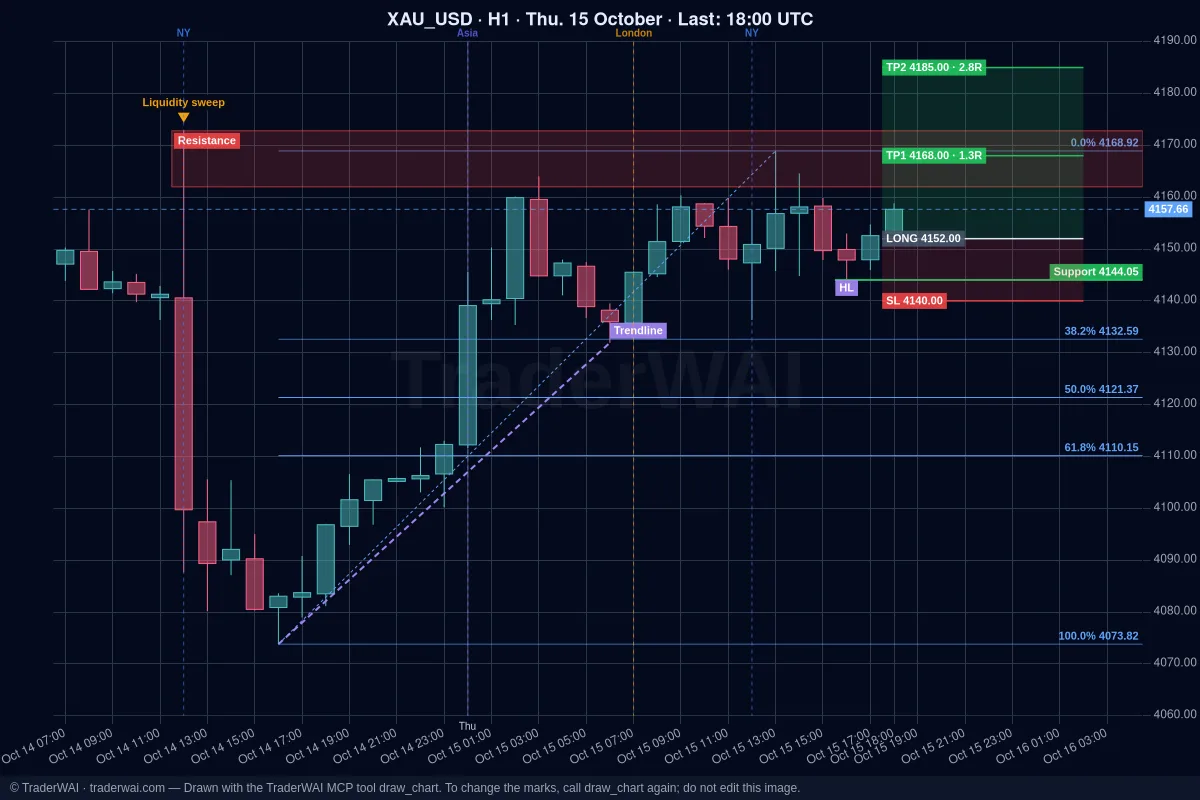
Grok searches the web and X in real time, so it knows when a central bank speaks or a headline moves gold. On a prop firm challenge that's useful, but it isn't enough: Grok can't see your challenge account or send an order, and one oversized trade can end the challenge in an afternoon. TraderWAI adds both parts: a connector (an MCP server) that lets Grok read your account and prepare orders with stop loss and take profit that you approve, and risk limits that turn the firm's rules into checks every order has to pass.
This guide covers the Grok side. For the background on risk limits, read prop firm rules with AI; for the general setup with any AI, AI trading on a prop firm challenge.
Step 0: check what your prop firm allows
Do this first. Every firm has its own rules on automated trading, EAs, third-party tools and AI, and they change. TraderWAI doesn't change what your firm allows, and we can't tell you that a given firm accepts AI-assisted trading.
Read your firm's terms and FAQ, or ask their support, and look for rules on automated trading and EAs, third-party tools, copy trading and identical trades on several accounts, news trading and holding over the weekend.
The safe default: keep TraderWAI in its standard mode, where you approve every order. Grok analyses and prepares; you decide.
Step 1: find your account's platform
Your challenge runs on a trading platform, and that's what TraderWAI connects to:
| Prop firm | Platforms | With TraderWAI |
|---|---|---|
| FTMO | MT4, MT5, cTrader | cTrader or MetaTrader |
| FundedNext | MT4, MT5, cTrader, Match-Trader | Any of them |
| The5ers | MT5 | MetaTrader |
| FundingPips | MT5, cTrader, Match-Trader | Any of them |
| E8 Markets | MT5, cTrader, TradeLocker, Match-Trader | Any of them |
| Alpha Capital Group | MT5, cTrader, TradeLocker, DXtrade | Any of them |
| FXIFY | MT5, DXtrade | MetaTrader or DXtrade |
Firms change their platforms and some vary them by country, so check yours. Step-by-step guides for Grok:
- MetaTrader 5 (Trader plan or higher): Grok + MT5
- cTrader (Free plan): Grok + cTrader
- TradeLocker (Free plan): Grok + TradeLocker
- DXtrade and Match-Trader (Free plan): Grok + DXtrade, Grok + Match-Trader
Step 2: connect Grok and the challenge account
- Open [grok.com/connectors](https://grok.com/connectors) (in the app: Settings → Connectors), click New Connector and choose Custom. At the time of writing, xAI offers custom connectors on its paid plans.
- Name:
TraderWAI. Server URL:https://mcp.traderwai.com. Save and sign in with Google or Microsoft. If you don't have a TraderWAI account yet, it is created here. - In the TraderWAI dashboard go to Settings → Brokers → Add account and add the challenge account. MetaTrader needs the login, master password and server from your firm's dashboard; cTrader is approved with your cTrader ID; TradeLocker, Match-Trader and DXtrade use the platform login and server.
- Name it clearly, for example FTMO 100K challenge, so you and Grok always know which account an order goes to.
Step 3: turn the challenge rules into risk limits
This is the step that protects the account. In Settings → Risk, set limits for the challenge account. Every order is checked against them before it's sent, wherever it comes from, and Grok can read them but never change them.
Example: a 100K challenge with a 5% daily loss limit and 10% max loss, where you never want to risk more than 0.5% per trade.
| Challenge rule | Limit in TraderWAI | Plan |
|---|---|---|
| Daily loss 5% | Max daily loss 4% | Plus, Trader, Max |
| Don't stack trades | Max open positions 2 | Plus, Trader, Max |
| No overtrading | Max trades per day 4 | Plus, Trader, Max |
| No oversized orders | Max lots per order 5 | Plus, Trader, Max |
| Risk 0.5% per trade | Max risk per trade 0.5% | Max |
| Max loss 10% | Max drawdown 9%, static | Max |
| No trading around the open | Allowed hours, e.g. 07:00–19:00 UTC | Max |
- Leave a margin. Set limits tighter than the firm's to absorb spreads, slippage and swaps.
- Check how your firm measures the day. TraderWAI's daily loss counts from the equity at the start of the UTC day, including floating P/L. If your firm resets at another time or measures from balance, set the limit tighter.
- Every order carries a stop loss. TraderWAI doesn't accept an order without one.
If an order would break a limit, it isn't sent and Grok tells you why. If the broker doesn't respond when a limit needs to be checked, the order is blocked: when in doubt, nothing is sent.
Step 4: use Grok's live search before you trade
Many firms restrict trading around high-impact news, and that's where Grok helps most: it can check the calendar and what's being said on X, then look at your account through TraderWAI.
- Before the session: "Is there high-impact news on USD in the next 2 hours? Then show me how much I can still lose today on my FTMO account and which positions are open."
- Analysis: "What's moving gold today? Then check XAUUSD on H4 and M15 with TraderWAI and mark the key levels."
- Sizing: "Prepare a buy on EUR/USD with the stop below the Asian low and a 2R target, risking 0.5%. Show me the lot size before sending it."
- Managing: "When my EUR/USD trade reaches 1R, move the stop to break-even." TraderWAI checks conditional rules every minute, even with Grok closed.
- Testing first: "Backtest that Asian-range entry on EUR/USD over the last 30 days."
By default every order waits for your approval in TraderWAI. Auto-execution is opt-in, per symbol, from the Plus plan; on a challenge we recommend keeping approval on.
What each plan covers
- Free: charts and analysis unlimited, 1 broker account and 5 order executions a day on cTrader, TradeLocker, Match-Trader or DXtrade. No risk limits, so use it with a demo to see how Grok works.
- Plus: basic risk limits (daily loss, open positions, trades per day, max lots).
- Trader: adds MetaTrader (one account).
- Max: the full prop firm set: risk per trade, drawdown, trading hours and allowed symbols.
See pricing.
Common questions
Does FTMO allow AI trading? We can't answer for any firm. Check FTMO's current rules or ask their support. TraderWAI helps you respect the rules; it doesn't change them.
Is TraderWAI made by xAI or by a prop firm? No. TraderWAI is an independent service that works with Grok through the open MCP standard and connects to your account's trading platform.
Can Grok change my risk limits? No. Grok can read them; only you can change them, from the TraderWAI website.
Can I use Grok on several funded accounts? TraderWAI supports several accounts, but many firms restrict identical trades across accounts. Check your firm's rules first.
Does this guarantee I pass? No. It makes sure a single mistake, like an oversized trade or one trade too many, can't end the challenge.