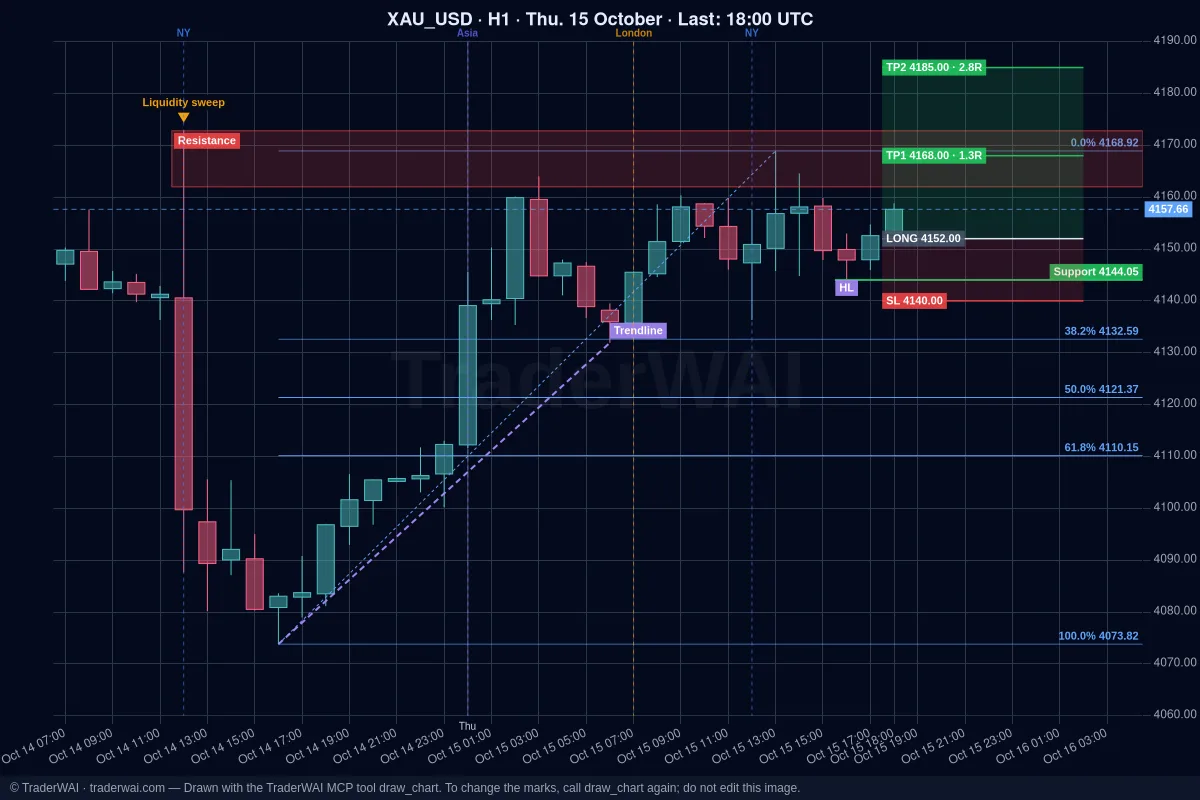
More and more traders want to use an AI on their funded account: let Claude or ChatGPT read the chart, size the trade, place it with a stop loss and keep an eye on the position. The risk is just as clear. A prop firm challenge can be lost in one afternoon, and an AI that sizes a trade wrong or opens one position too many costs you the account just like you would.
This is the practical guide: how to connect your AI to a prop firm account and set it up so the challenge rules are protected before any order reaches the broker. If you want the background on how risk limits work, read prop firm rules with AI: limits your AI can't break.
Step 0: check what your prop firm allows
Do this first. Every prop firm has its own rules on automated trading, EAs, third-party tools and AI, and they change. TraderWAI doesn't change what your firm allows, and we can't tell you that a given firm accepts AI-assisted trading.
Read your firm's terms and FAQ, or ask their support, and look for:
- Automated trading and EAs: allowed, restricted or only with approval?
- Third-party tools or account management: some firms require that you make the trading decisions yourself.
- Copy trading and the same trades on several accounts.
- News trading and holding positions over the weekend.
- Prohibited strategies such as high-frequency trading or latency arbitrage.
A simple way to stay on the safe side: keep TraderWAI in its default mode, where you approve every order. The AI analyses and prepares; you decide.
Step 1: find your account's platform
Your challenge runs on a trading platform, and that's what TraderWAI connects to:
| Prop firm | Platforms | With TraderWAI |
|---|---|---|
| FTMO | MT4, MT5, cTrader | cTrader or MetaTrader |
| FundedNext | MT4, MT5, cTrader, Match-Trader | Any of them |
| The5ers | MT5 | MetaTrader |
| FundingPips | MT5, cTrader, Match-Trader | Any of them |
| E8 Markets | MT5, cTrader, TradeLocker, Match-Trader | Any of them |
| Alpha Capital Group | MT5, cTrader, TradeLocker, DXtrade | Any of them |
| FXIFY | MT5, DXtrade | MetaTrader or DXtrade |
Firms change their platform offer and some vary it by country, so check yours. More firms on the brokers page.
Step 2: connect your AI and the account
- Add TraderWAI to your AI with the URL
https://mcp.traderwai.com. In Claude: Settings → Connectors → Add custom connector (every plan, including free). In ChatGPT: Plugins → Add → Add custom MCP server (every plan). Grok supports custom connectors on paid plans. Sign in with Google; your TraderWAI account is created in this step. - Add the challenge account in the TraderWAI panel: Settings → Brokers → Add account. MetaTrader needs the login, password and server from your firm's dashboard; cTrader is approved with your cTrader ID; TradeLocker, Match-Trader and DXtrade use the platform login and server.
- Name it clearly, for example FTMO 100K challenge, so you and your AI always know which account an order goes to.
Full guides: Claude + MetaTrader 5, Claude + cTrader, ChatGPT + TradeLocker.
Step 3: turn the challenge rules into risk limits
This is the step that protects the account. In Settings → Risk, set limits for the challenge account. Every order is checked against them before it's sent, wherever it comes from, and your AI can read them but never change them.
Example: a 100K challenge with a 5% daily loss limit and 10% max loss, where you never want to risk more than 0.5% per trade.
| Challenge rule | Limit in TraderWAI | Plan |
|---|---|---|
| Daily loss 5% | Max daily loss 4% | Plus, Trader, Max |
| Don't stack trades | Max open positions 2 | Plus, Trader, Max |
| No overtrading | Max trades per day 4 | Plus, Trader, Max |
| No oversized orders | Max lots per order 5 | Plus, Trader, Max |
| Risk 0.5% per trade | Max risk per trade 0.5% | Max |
| Max loss 10% | Max drawdown 9%, static | Max |
| No trading around the open | Allowed hours, e.g. 07:00–19:00 UTC | Max |
Three things to keep in mind:
- Leave a margin. Set limits tighter than the firm's to absorb spreads, slippage and swaps.
- Check how your firm measures the day. TraderWAI's daily loss counts from the equity at the start of the UTC day, including floating P/L. If your firm resets at another time or measures from balance, set the limit tighter.
- Every order carries a stop loss. TraderWAI doesn't accept an order without one, which is what makes risk per trade measurable.
Risk limits start with the Plus plan. MetaTrader accounts need the Trader plan; the full prop firm set (risk per trade, drawdown, hours, symbols) is on Max. On cTrader, TradeLocker, Match-Trader or DXtrade you can start with Plus.
Step 4: a daily routine with your AI
You don't need special commands. Some prompts that work well on a challenge:
- Before the session: "How much can I still lose today on my FTMO account before hitting my limit? Which positions are open?"
- Analysis: "Show me EUR/USD on H4 and M15, mark the key levels and tell me if there's a setup for London."
- Sizing: "Prepare a buy on gold with the stop below the Asian low and a 2R target, risking 0.5%. Show me the lot size before sending it."
- Waiting for the setup: "If NAS100 sweeps yesterday's low and an M5 candle closes back above it before 15:00 UTC, prepare a buy with the stop below the sweep."
- Managing: "When my EUR/USD trade reaches 1R, move the stop to break-even."
- Testing first: "Backtest that sweep entry on NAS100 for the last 30 days."
If an order would break a limit, it isn't sent and your AI tells you why, usually with a smaller size that fits. If the broker doesn't respond when a limit needs to be checked, the order is blocked: when in doubt, nothing is sent.
Claude, ChatGPT or Grok?
All three use the same TraderWAI server, so your limits apply equally to each. Claude is the easiest start, because custom connectors work on its free plan. ChatGPT also works on every plan. Grok ("funded Grok") works on its paid plans. Pick the one whose reasoning you trust most, and keep approval on.
Mistakes the setup prevents
- Revenge trading after a loss: max trades per day and daily loss stop it.
- One oversized trade: risk per trade and max lots catch it.
- Too many correlated positions: max open positions caps them.
- Trading at the wrong hour: allowed hours block it.
None of this guarantees you pass. It makes sure a single mistake can't end the challenge.
Start for free
Charts and market data are unlimited on TraderWAI's Free plan, and cTrader, TradeLocker, Match-Trader and DXtrade work on it, so you can connect a demo or a free trial account today and test the flow. Add risk limits with Plus, or MetaTrader with Trader. See pricing.
Common questions
Does FTMO allow AI trading? We can't answer for any firm. Check FTMO's current rules or ask their support. TraderWAI helps you respect the rules; it doesn't change them.
Can the AI place orders without me? Only if you turn on auto-execution for a symbol. On a challenge, we recommend keeping approval on.
Can I use the same AI on several funded accounts? Yes, TraderWAI supports several accounts, but many firms restrict identical trades across accounts. Check your firm's rules first.
Is there an FTMO MCP server? No official one; your FTMO account connects through MetaTrader or cTrader. See broker MCP server.
Trading involves risk and you can lose money. TraderWAI is a technology tool, not investment advice.