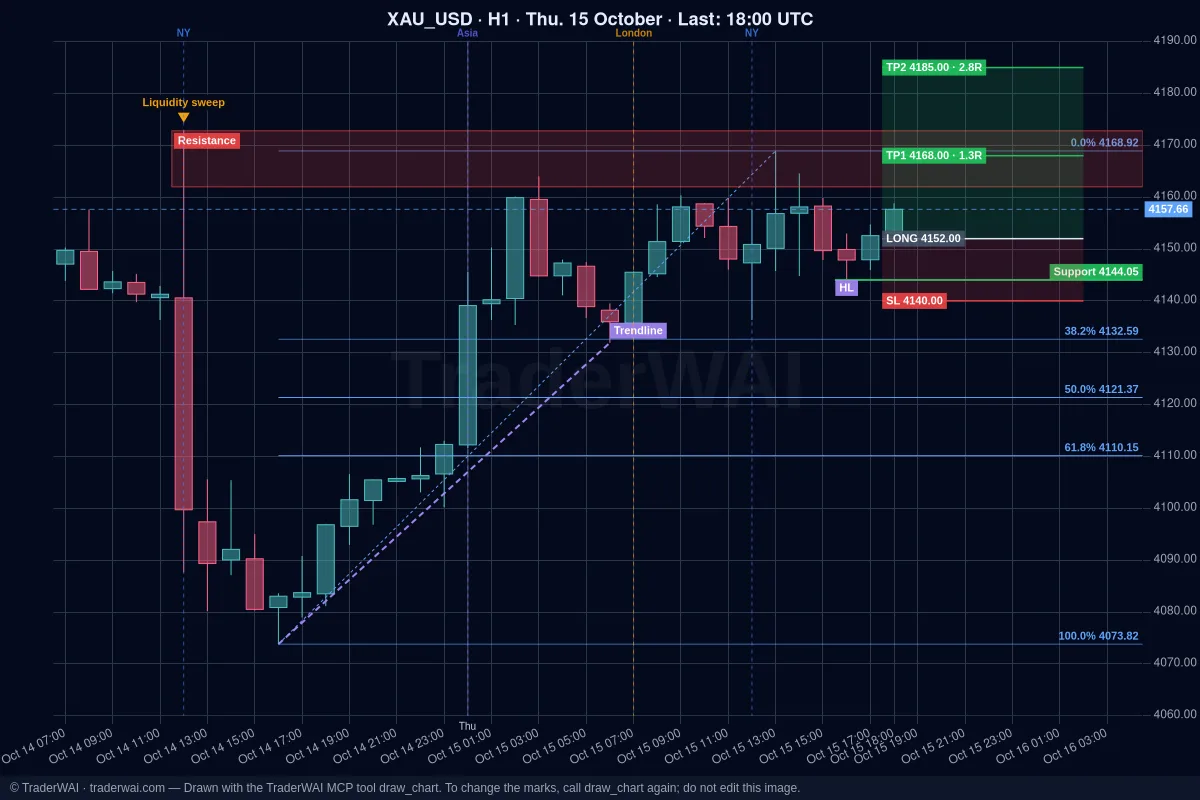
Grok is good at finding trading ideas: it searches the web and X in real time, so it can tell you which setup everyone is talking about this week. What it can't do on its own is tell you whether that setup actually worked. TraderWAI adds that: a connector (an MCP server) you add to Grok once. After that Grok can run a backtest on real 1-minute data, show you every trade, and turn the rule into a conditional order that watches the market for you.
You describe the strategy in your own words. No code, no scripts and no backtesting platform.
Connect TraderWAI to Grok
- Open [grok.com/connectors](https://grok.com/connectors) (in the app: Settings → Connectors).
- Click New Connector and choose Custom.
- Name:
TraderWAI. Server URL:https://mcp.traderwai.com - Save, sign in with Google or Microsoft and allow access. If you don't have a TraderWAI account yet, it is created here.
At the time of writing, xAI offers custom connectors on its paid plans; if you don't see New Connector → Custom, your plan or region doesn't have it yet. You don't need a broker account to backtest: connect one only when you want to trade the rule.
Step 1: describe the strategy
Write it as you would explain it to another trader: the market, the timeframe, the entry, the stop and the target.
A session breakout
- "Using TraderWAI, backtest EUR/USD over the last 14 days: buy when an M15 candle closes above the Asian session high, stop at the Asian low, target 2R."
A liquidity sweep
- "Backtest selling gold when price sweeps the previous day's high and an M5 candle closes back below it, between 07:00 and 16:00 UTC. Stop beyond the wick, target 2R."
A fair value gap
- "Backtest buying the first retest of a bullish M15 FVG on NAS100 during the New York session, stop below the gap, target 2R."
Grok turns your words into a rule and TraderWAI runs it on its 1-minute history. Every day it works out that day's levels (the Asian high, yesterday's low…), waits for the condition, opens the trade and follows it to the stop, the target or your closing time.
What you can test
- Levels that change every day: Asian, London or New York session high and low, the previous day's high, low or close, or any custom time range.
- Entries: a candle close beyond a level, range breakouts, consecutive closes, liquidity sweeps, the first retest of a fair value gap and price crossing a level, at market or with a limit entry.
- Filters: moving averages (SMA, EMA), RSI, ATR and the highest/lowest of N candles on any timeframe, plus time-of-day and day-of-week filters.
- Exits: stop in pips, at a level, beyond the wick or as a multiple of ATR; target as a multiple of the risk (2R, 3R…), in pips or at a level; and an optional closing time.
- Markets: forex, gold, silver, oil, indices, Bitcoin and Ethereum from the TraderWAI feed.
Step 2: read the result
In a few seconds you get:
- every trade: date, entry, stop, target, exit and the result in R and pips;
- a summary: number of trades, win rate, total and average R, maximum drawdown and worst losing streak;
- the assumptions, so you know exactly what was tested.
Step 3: compare versions
The first version is rarely the best one. Ask Grok to change one thing at a time:
- "Same test, but only if price is above the D1 EMA 50."
- "Now with the stop at 1.5× the H1 ATR instead of the Asian low."
- "Compare London only with London and New York."
This is where Grok's search helps too: "Which gold setups are traders on X talking about this week? Pick one and backtest it on the last 14 days." Instead of trusting a screenshot, you see how the rule did on real data.
Want ideas that have already been tested? The strategies page recalculates popular rules every day on the last 30 days, and backtest fair value gaps shows how the same idea can work on one market and fail on another.
Step 4: run the same rule as a conditional order
When a version holds up, turn it into a live rule:
- "Create a conditional order with that rule on EUR/USD, risking 0.5% of my balance. I'll approve the order."
Conditional orders use the same engine as backtests. TraderWAI checks the rule every minute on closed candles, even with Grok closed. When it fires, it sizes the trade from your risk, checks your risk limits and creates an order that waits for your approval; it is only sent on its own if you turned on auto-execution for that symbol.
For this step you need a broker account connected to TraderWAI. See the guides for Grok + cTrader, Grok + TradeLocker or Grok + MetaTrader 5. For a full gold workflow, from the news to the order, see trading gold with Grok.
What each plan includes
- Free: 5 backtests a day over the last 14 days; 1 new conditional order a day (2 active).
- Plus: 20 backtests a day over the last 6 months; 5 new conditional orders a day.
- Trader: 50 backtests a day over the last year.
- Max: unlimited backtests with all the history (2 years of 1-minute data).
More about the backtest engine in backtest your strategy by asking your AI.
Things to keep in mind
- Past results don't guarantee future results. A few weeks is a small sample: test longer periods and several markets before you trust a rule.
- Data source. Backtests use TraderWAI's market feed, which can differ slightly from your broker's prices. Live orders always use your broker's live price.
- Keep it simple. A rule with ten filters that worked perfectly last month is usually fitted to the past.
Common questions
Do I need a broker account to backtest? No. Backtests run on TraderWAI's data, so you can test on a weekend, before connecting any account.
How much history can I test? The last 14 days on Free, 6 months on Plus, 1 year on Trader and all the history (2 years of 1-minute data) on Max.
Can Grok run the strategy for me automatically? Only as a conditional order. By default, when the rule fires, the order waits for your approval. It is sent on its own only if you turn on auto-execution for that symbol, and your risk limits are checked before every order. Grok can read the limits but never change them.
Is TraderWAI made by xAI? No. TraderWAI is an independent service that works with Grok through the open MCP standard.