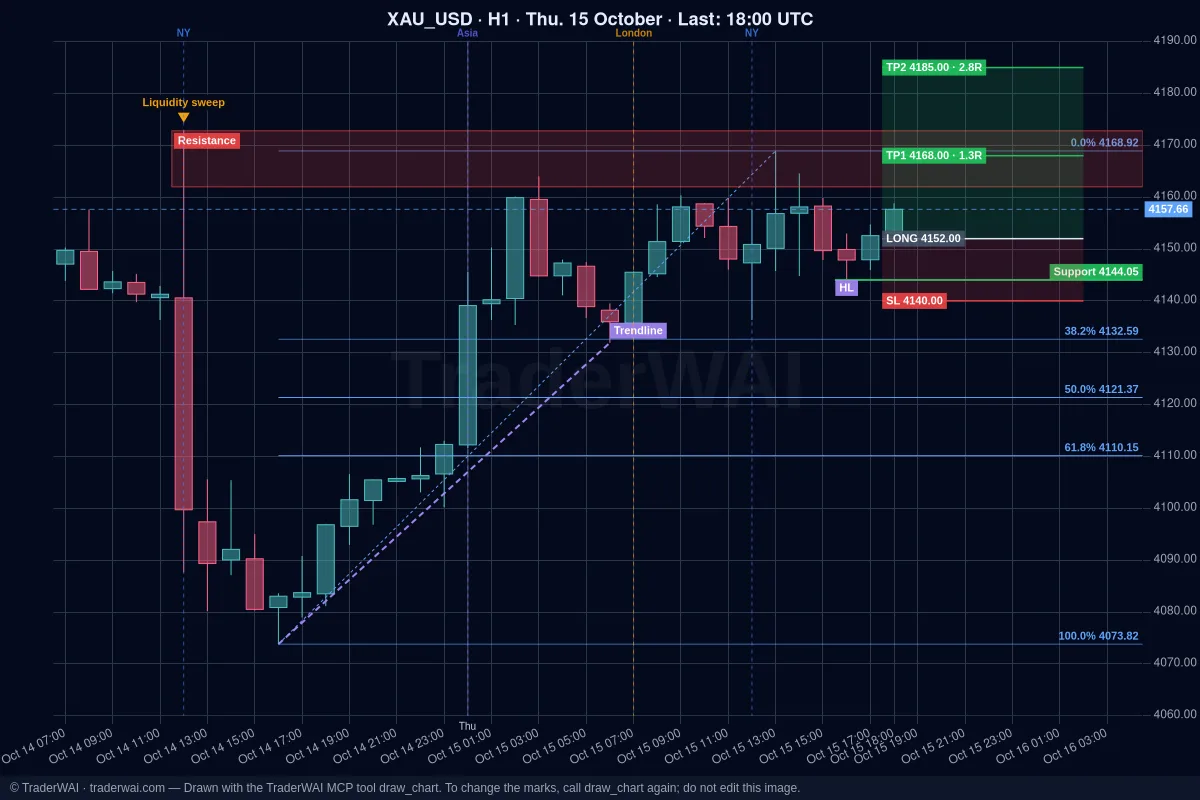

Claude is great at reading charts and reasoning about a trade, but on its own it can't see your MetaTrader account or send an order. TraderWAI is the bridge: a connector (an MCP server) you add to Claude once, so it can read your MT5 account, look at live charts and place orders on your broker, always within the limits you set.
What you need
- A Claude account. Custom connectors work on every Claude plan, including the free one.
- A computer to add the connector (claude.ai or the desktop app). After that it also works in the Claude app on your phone.
- A MetaTrader 5 or MetaTrader 4 account, demo or live: account number, password and server name.
- A TraderWAI account on the Trader plan or higher. MetaTrader is a premium broker included from Trader, where any of your 5 accounts can be MetaTrader. If you only want to try first, the Free plan works with cTrader, TradeLocker and Match-Trader: see the Claude + cTrader guide.
Step 1: add TraderWAI to Claude
- On claude.ai, open Settings → Connectors.
- Click Add custom connector.
- Name:
TraderWAI. URL:https://mcp.traderwai.com. - Click Add, then Connect, and sign in with Google. If you don't have a TraderWAI account yet, it's created in this step.
- In a chat, enable TraderWAI from the tools button.
Step 2: connect MetaTrader
In the TraderWAI panel go to Settings → Brokers → Add account → MetaTrader. Enter the account number, password and server exactly as they appear in MT5 (for example ICMarketsSC-Demo). The first connection takes 1 to 3 minutes while the terminal is prepared in the cloud; after that it's instant.
Start with a demo account: everything works the same and you can see how Claude behaves without risk.
Step 3: ask Claude
No special commands, just ask:
- "Look at gold on H4 and M15. Where are the key levels and what's the structure?"
- "What's my balance and which positions are open on MT5?"
- "Buy EUR/USD at market, stop below 1.0840, target 2R, risking 0.5% of my balance."
- "Backtest buying the London breakout of the Asian range on EUR/USD for the last 30 days."
Before an order Claude checks your broker's live price, sizes the trade from your risk and checks your risk limits. By default every order waits for your approval: you get a notification and approve it with one tap.
Stay in control
- Approval by default. Auto-execution is opt-in, per symbol, with your own size and daily caps.
- Risk limits (max lots, open positions, trades per day, daily loss) are checked before every order. Claude can read them but never change them.
- Your password is never shown to Claude. Broker credentials are stored encrypted on TraderWAI.
Common questions
Does it work with MT4? Yes, MetaTrader 4 and 5.
Does it work with prop firms? If your prop firm uses MetaTrader and allows AI-assisted trading, yes. Set its rules as limits: see prop firm rules with AI.
Is Claude's free plan enough? Yes. The free plan allows one custom connector, which is all you need.
Using another AI?
The steps are almost the same with other AIs, and the same TraderWAI account works with all of them: