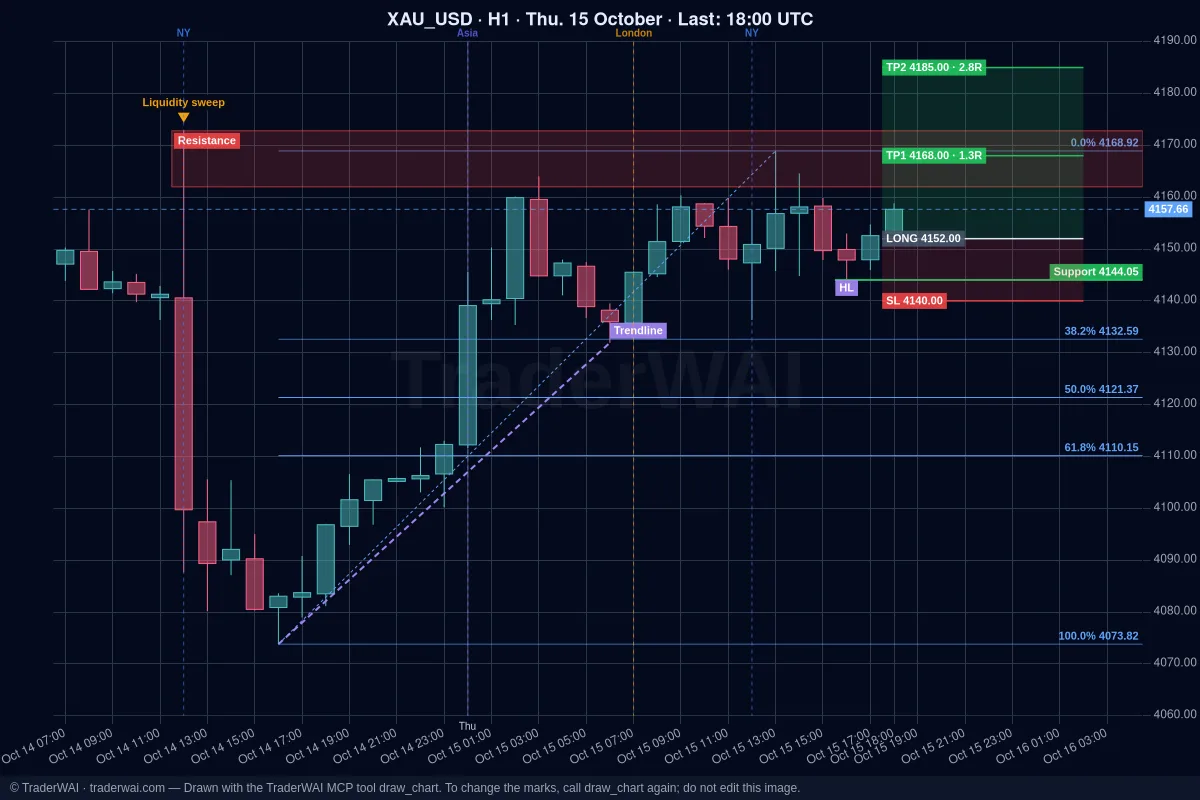
MetaTrader 4 is still the platform many brokers and traders use every day. Claude and ChatGPT can reason about a trade very well, but on their own they can't see your MT4 account, read a live chart or send an order. TraderWAI is the bridge: a connector (an MCP server) you add to your AI once, so it can read your MT4 balance and positions, look at live charts and place orders on your broker, always within the limits you set.
No Expert Advisor, no DLL and nothing running on your computer: TraderWAI connects to your broker's MT4 server from the cloud.
What you need
- Claude or ChatGPT, on any plan. Custom connectors work on every Claude plan (the free one allows one, which is enough) and custom MCP servers work on every ChatGPT plan, Free included.
- A computer to add the connector once. After that it also works in the Claude or ChatGPT app on your phone.
- An MT4 account, demo or live: the login (account number), the master password and the server name.
- A TraderWAI account on the Trader plan or higher. MetaTrader (MT4 and MT5) is a premium broker included in Trader and Max: any of your accounts can be MetaTrader (5 on Trader, 10 on Max).
Step 1: add TraderWAI to your AI
In Claude
- On claude.ai, open Settings → Connectors and click Add custom connector.
- Name:
TraderWAI. URL:https://mcp.traderwai.com. - Click Add, then Connect, and sign in with Google. If you don't have a TraderWAI account yet, it's created in this step.
- In a chat, enable TraderWAI from the tools button.
In ChatGPT
- On chatgpt.com, open Plugins in the left menu and click Add → Add custom MCP server.
- Name:
TraderWAI. Server URL:https://mcp.traderwai.com. Authentication: OAuth. - Click Create as plugin, then Connect TraderWAI, and sign in with Google.
- In any chat, type @ and pick TraderWAI, or just ask.
Step 2: connect your MT4 account
- In the TraderWAI dashboard go to Settings → Brokers → Add account → MetaTrader and choose MetaTrader 4.
- Enter the login, the master password and the server exactly as they appear in MT4 (in MT4: File → Login to Trade Account). Suggestions appear as you type the server name.
- Save. The first connection takes 1 to 3 minutes while the terminal is prepared in the cloud; after that it's instant.
One MT4 detail: MT4 doesn't report a wrong password, it just doesn't connect. If it takes more than 2 or 3 minutes, check that you used the master password (not the investor one) and the right account number.
Start with a demo account: everything works the same and you can see how your AI behaves without risk.
Step 3: ask your AI
No special commands, just ask:
- "What's my MT4 balance and which positions are open, with their floating P/L?"
- "Look at EUR/USD on H4 and M15. Where are the key levels? Draw them on the chart."
- "Sell gold at market with the stop above today's high and a 2R target, risking 0.5% of my balance."
- "On my GBP/USD trade, move the stop to break-even when it's 1R in profit."
- "Backtest buying the London breakout of the Asian range on EUR/USD over the last 30 days."
Before an order your AI checks your broker's live price, sizes the trade from your risk and checks your risk limits. By default every order waits for your approval: you get a notification and approve it with one tap.
Stay in control
- Approval by default. Auto-execution is opt-in, per symbol, with your own size and daily caps.
- Risk limits (max lots, open positions, trades per day, daily loss) are checked before every order. Your AI can read them but never change them.
- Your password is never shown to the AI. Broker credentials are stored encrypted on TraderWAI.
If it doesn't work
- "The MetaTrader server was not found". The server name must match MT4 character by character, including -Demo, -Live or the number. Make sure you chose MetaTrader 4, not 5: many brokers have different servers for each.
- It stays connecting. Check the master password and the account number (see the MT4 detail above). Connection attempts are limited to a few per day, so check the data before trying again.
- Your AI doesn't use the TraderWAI tools. Start a new chat and name it in your request ("Using TraderWAI…").
Common questions
Does it work with MT5 too? Yes. The steps are the same; see Claude + MetaTrader 5 and ChatGPT + MetaTrader 5.
Do I need to keep MT4 open? No. The connection runs in the cloud; your terminal and computer can be off.
Does it work with prop firms? If your firm uses MetaTrader and its rules allow AI-assisted trading, yes. Set its rules as limits: see prop firm rules with AI.
Can I try without paying? Charts, analysis and backtests are free. To try orders on the Free plan, connect a cTrader, TradeLocker or Match-Trader demo; MetaTrader starts with the Trader plan. There are no free trials, and the first month of any paid plan is 50% off.
Using another AI?
The same TraderWAI account works with every AI:
- How to connect Grok to MetaTrader 5 (MT5)
- How to connect Gemini to MetaTrader 5 (MT5)
- Quick guide: Grok + MT4