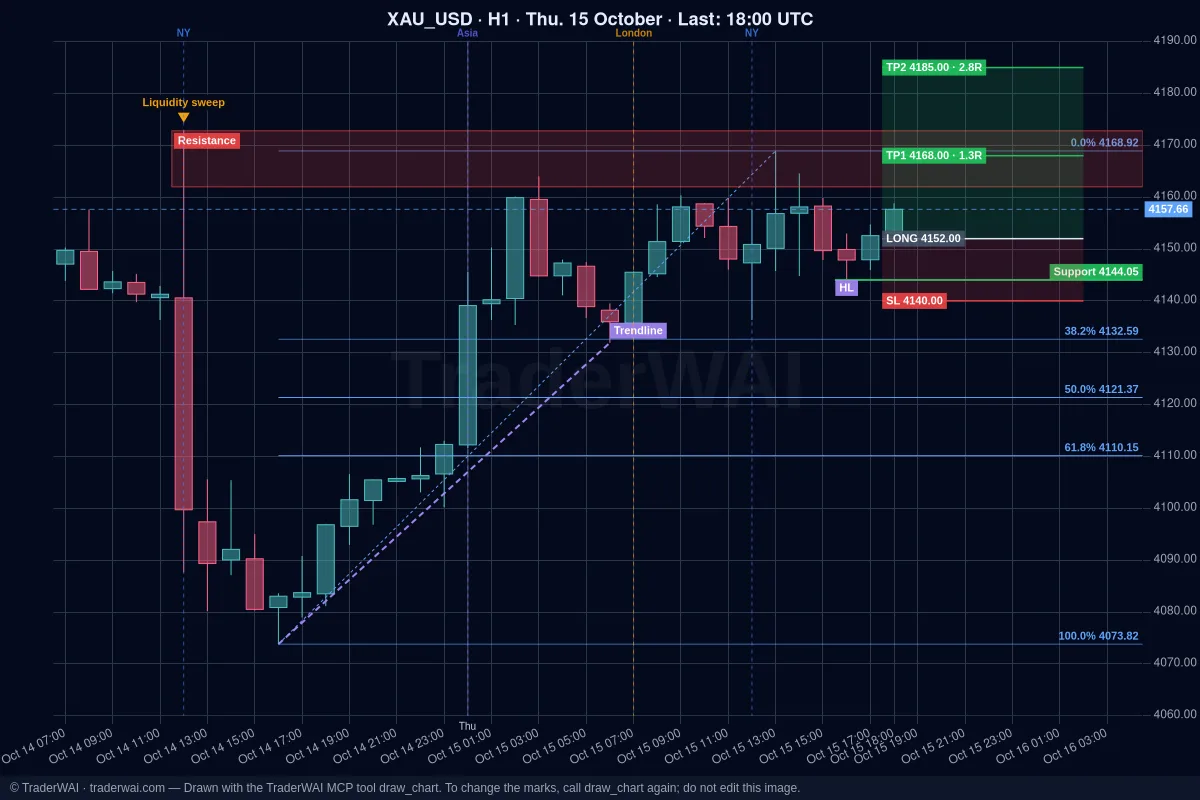

An AI trading assistant is the AI you already use (Claude, ChatGPT, Gemini, Grok) connected to market data and to your trading account, so it can do more than chat: look at live charts, check your positions, backtest an idea and propose an order that you approve. The piece that makes it possible is MCP.
What is MCP?
The Model Context Protocol (MCP) is an open standard that lets AI assistants use external tools. An MCP server exposes a list of tools (for example get chart, get positions, place order) and the AI decides when to call them while it talks to you. Claude, ChatGPT, Gemini, Grok, Cursor and VS Code all support MCP.
TraderWAI is an MCP server for trading: you add it to your AI once (URL https://mcp.traderwai.com) and it connects the AI to live market data and to your broker on MetaTrader, cTrader, TradeLocker, Match-Trader, DXtrade, Binance or Bybit.
What an AI trading assistant can do
- Read the market: chart images for visual structure and exact OHLC candles for precise levels, on forex, gold, indices and crypto, updated every minute.
- Know your account: balance, open positions, pending orders and trade history.
- Test ideas: backtest a rule on historical data (session breakouts, liquidity sweeps, moving-average filters) in seconds. See strategy backtests.
- Prepare and place orders: entry, stop loss and take profit sized from your risk, checked against your broker's live price.
- Watch for setups: conditional orders that trigger when your rule is met.
What it shouldn't do
- Trade without limits. Orders wait for your approval by default, and risk limits (max lots, daily loss, trades per day) are checked before every order. The AI can read them but can't change them.
- See your passwords. Broker credentials stay encrypted on the server; the AI only sees tools and results.
- Promise profits. The AI analyses and executes your plan faster; the decisions and the risk are still yours.
AI assistant vs trading bot
| Trading bot / EA | AI trading assistant | |
|---|---|---|
| How you define it | Code (MQL5, Python…) | Plain language in a chat |
| Changing the strategy | Rewrite and redeploy | Ask for a new backtest or rule |
| Who decides | The code, always | You approve, or set auto-execution per symbol |
| Reading charts | Only what you programmed | Visual structure plus exact data |
Many traders use both: the assistant to analyse, test and prepare, and rules or conditional orders to execute without watching the screen.
How to start
- Add
https://mcp.traderwai.comas a connector in your AI (Claude, ChatGPT, Grok). - Connect a demo account first.
- Ask: "Analyse gold on H4 and H1 and propose a trade with a 2R target, risking 0.5%."
TraderWAI has a free plan, and these are the brokers and platforms you can connect.
Common questions
Which AIs support MCP for trading? Claude and ChatGPT on every plan, free ones included. Grok, Gemini, Perplexity, Cursor, VS Code and other MCP clients work too (some only on paid plans). You add the same URL everywhere: https://mcp.traderwai.com.
How do I connect my brokerage account to a ChatGPT plugin? On chatgpt.com open Plugins → Add → Add custom MCP server, paste https://mcp.traderwai.com and sign in. Then add your broker account in TraderWAI. Step by step: ChatGPT + MT5 guide.
Is it free? TraderWAI has a free plan with unlimited charts and market data. cTrader, TradeLocker, Match-Trader, DXtrade, Capital.com, eToro (beta), Binance and Bybit work on it; MetaTrader needs the Trader plan.