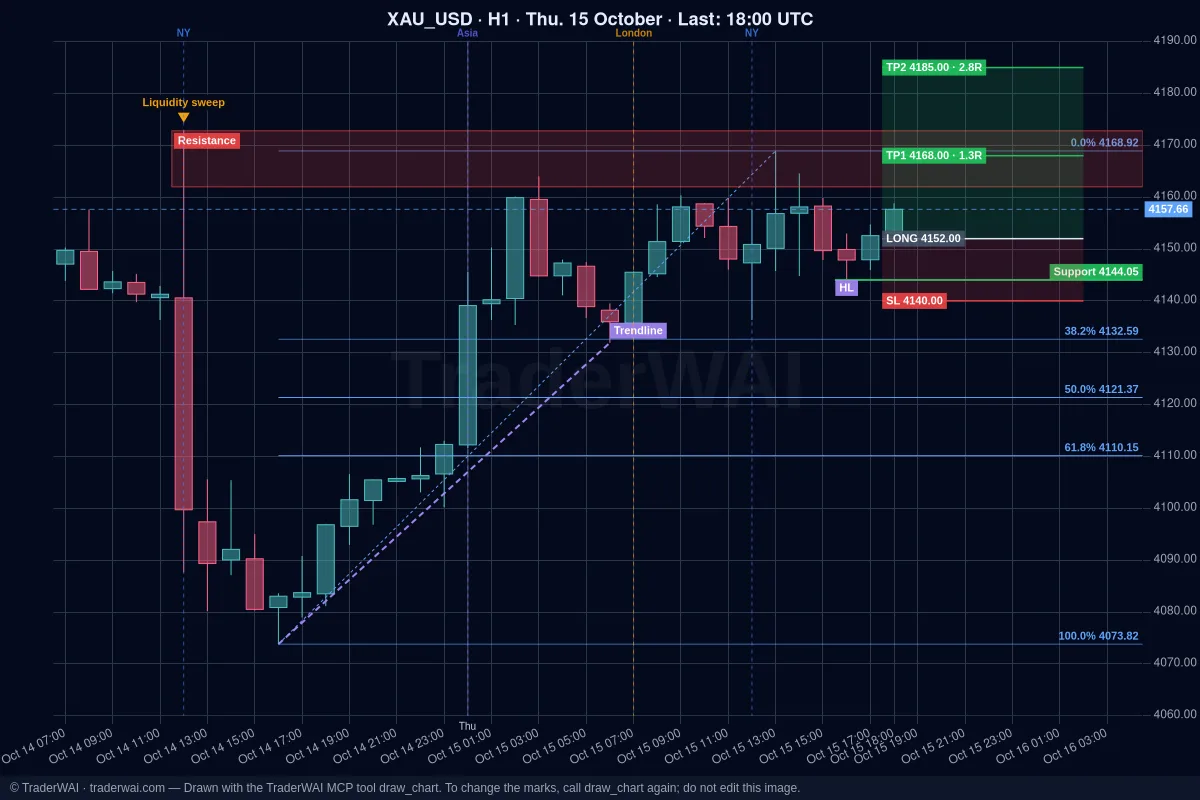

Grok can search the web and X in real time, which makes it a good market companion. But it can't see your trading account or send an order. TraderWAI adds that: a connector (an MCP server) you add to Grok once, so it can read live charts and your account, run backtests and place orders on your broker, with your approval.
What you need
- Grok with custom connectors. At the time of writing, xAI offers custom connectors on its paid plans (SuperGrok or X Premium+). If you don't see New Connector → Custom, your plan doesn't include it yet; Claude works on its free plan with the same connector (see the Claude guide).
- A trading account, demo or live, on MetaTrader 4/5, cTrader, TradeLocker, Match-Trader, DXtrade, Binance or Bybit.
- A TraderWAI account. If you don't have one, it's created when you authorize Grok. The Free plan covers cTrader, TradeLocker and Match-Trader; MetaTrader starts with the Trader plan.
Step 1: add TraderWAI to Grok
- Open grok.com/connectors (or Settings → Connectors in the Grok app).
- Click New Connector and choose Custom.
- Name:
TraderWAI. Server URL:https://mcp.traderwai.com. - Save and sign in with Google to authorize access.
Step 2: connect your broker
In the TraderWAI panel go to Settings → Brokers → Add account and choose your platform. cTrader asks you to approve access with your cTrader ID; TradeLocker, Match-Trader and MetaTrader ask for the account login and server. Start with a demo account if you're just trying it.
Step 3: ask Grok
- "What's moving gold today? Check the news and then the H1 chart, and tell me the key levels."
- "Show my open positions and the floating P/L."
- "Backtest selling EUR/USD when price sweeps the previous day's high and closes back below, last 30 days."
- "Sell GBP/USD at market, stop above 1.2760, target 2R, risk 0.5%."
Grok combines its real-time search with TraderWAI's charts and data. Before any order it checks your broker's live price and your risk limits, and the order waits for your approval unless you allowed auto-execution on that account (with the symbols and limits you choose).
Common questions
Is TraderWAI made by xAI? No. TraderWAI is an independent service that works with Grok through the open MCP standard, like it does with Claude, ChatGPT and Gemini.
Can Grok trade without me? Only if you allow auto-execution on an account, with the symbols and limits you choose. By default every order needs your approval.
Does Grok see my broker password? No. Credentials are stored encrypted on TraderWAI and never shown to the AI.