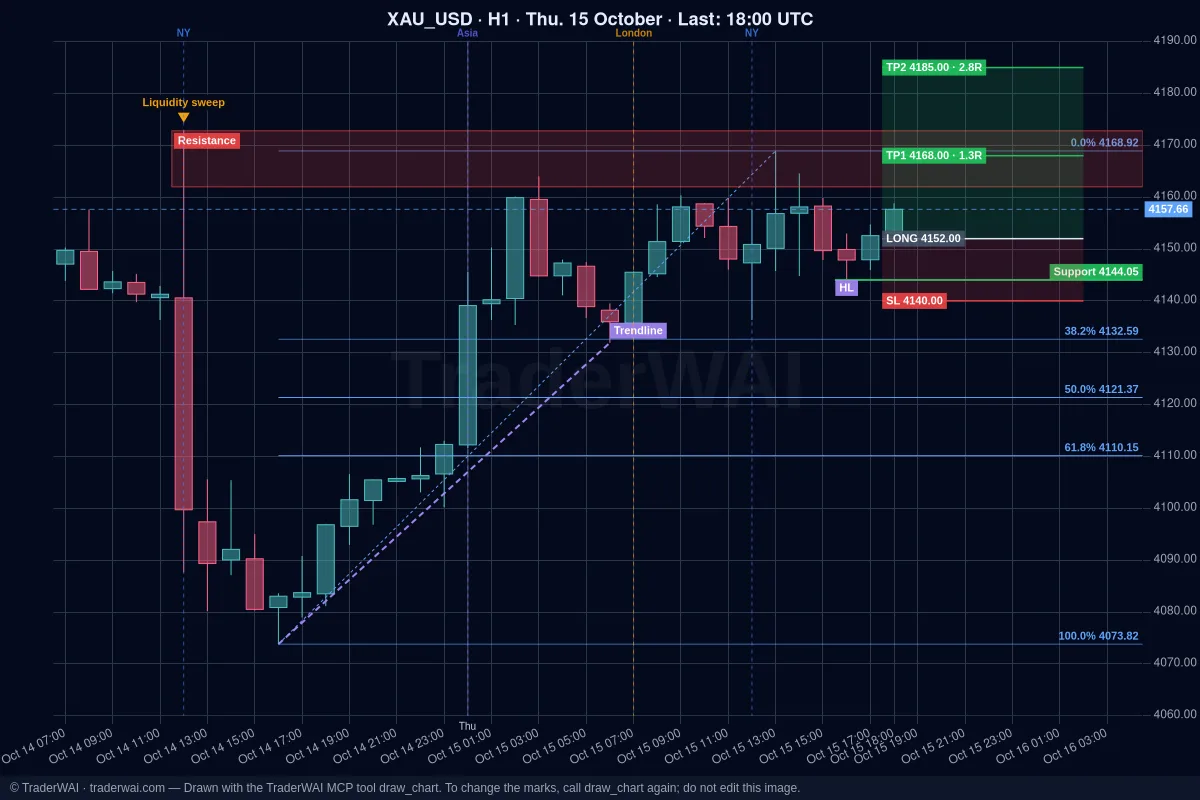
Most traders never backtest. Not because they think it's useless, but because the usual ways are slow or technical: scrolling back through charts and writing trades in a spreadsheet, or learning Pine Script, MQL5 or Python. So strategies get traded live on a hunch, and the real test is paid for with real money.
There is now a third way. You describe the strategy to your AI in plain words, the same way you'd explain it to another trader, and it runs the test on real 1-minute market data. In a few seconds you see every trade, the win rate, the result in R and the drawdown. This guide shows how, step by step, with prompts you can copy.
What a backtest tells you (and what it doesn't)
A backtest applies a fixed rule to past prices: which trades the rule would have taken, and how each one ended. It answers questions like:
- Does this setup make money at all, or does it only look good on the chart?
- How often does it win, and how big are the losing streaks?
- Does it work better in London or New York, on gold or on EUR/USD, with or without a trend filter?
It doesn't tell you what will happen next. A rule that made money in the last 90 days can stop working. What a backtest does is remove the strategies that never worked, and show you what a normal bad run looks like before you live through one.
Three ways to backtest, compared
| Manual (chart replay) | Code (Pine Script, MQL5, Python) | Your AI + TraderWAI | |
|---|---|---|---|
| Skill needed | Patience | Programming | Describing the rule clearly |
| Time per test | Hours | Hours to days | Seconds |
| Data | Whatever your chart shows | Depends on your platform or data source | 2 years of 1-minute candles |
| Easy to try variations | No | Edit and re-run | "Same, but only above the EMA 50" |
| Cost | Free | Free to expensive | Free plan available |
The AI doesn't invent the result. On its own, a chat AI has no price history: if you ask ChatGPT or Claude for a backtest without real data, you get a plausible-looking table that isn't based on real prices. TraderWAI is a connector (an MCP server) that gives your AI a real backtest engine: the AI translates your words into a rule, TraderWAI replays it minute by minute, and the AI explains the numbers.
Step 1: connect TraderWAI to your AI
It works with the AI you already use, on the free plans too:
- Claude: on claude.ai open Settings → Connectors → Add custom connector, paste
https://mcp.traderwai.comand click Connect. Full walkthrough: how to backtest with Claude. - ChatGPT: open Plugins → Add → Add custom MCP server, URL
https://mcp.traderwai.com, authentication OAuth. See can ChatGPT backtest a trading strategy? - Grok: how to backtest with Grok, or the ready-made Grok Bot template in Grok Bot for traders.
- Cursor and other agents: backtest a strategy with Cursor.
You sign in with Google or Microsoft and your TraderWAI account is created at that moment. You don't need a broker account to backtest: the test runs on TraderWAI's data, even at the weekend.
Step 2: describe the strategy
A good description has five parts: market, entry, stop, target and period. Add a time window or a filter if your strategy has one. Here are prompts for six common styles; each one links to a page where the same rule is backtested every day:
Session breakout
Live results: London breakout on GBP/USD.
Opening range breakout
Live results: Nasdaq opening range breakout.
ICT / smart money concepts
Live results: ICT Silver Bullet, order block + CHoCH on gold, Judas Swing.
Liquidity sweep
Live results: Turtle Soup on EUR/USD.
Indicators
Live results: RSI bounce on Bitcoin, EMA 9/21 cross on Ethereum, Bollinger Bands bounce.
Trend pullback
Live results: Fibonacci golden zone on gold.
If something is missing from your description, the AI asks or tells you which assumption it used. Always read the assumptions: "stop at the Asian low" and "stop 10 pips below the entry" are two different strategies.
What you can test
- Levels: session highs and lows (Asia, London, New York), the previous day's high, low or close, any custom time range in local market time, swing highs and lows, Fibonacci levels.
- Entries: candle closes beyond a level, range breakouts, liquidity sweeps, break and retest, the first retest of a fair value gap, order blocks, break of structure (BOS) and change of character (CHoCH), candle patterns, at market or with a limit order.
- Indicators and filters: SMA, EMA, WMA, RSI, ATR, ADX, Bollinger Bands, highest high and lowest low (Donchian), on any timeframe from M1 to D1; time of day, day of week, and skipping high-impact news.
- Exits: stop in pips, at a level, beyond the wick, at the zone or by ATR; target in R, in pips or at a level; trailing stop, break-even, partial closes, a closing time, or an exit on a condition such as the opposite crossover.
- Costs: spread, commission and slippage, so the result is closer to what your broker charges.
- Markets: forex, gold, silver, oil, indices, 55 US stocks, Bitcoin and Ethereum, with 2 years of 1-minute history.
Not available yet: MACD, VWAP and indicators that only exist inside a custom script.
Step 3: read the result like a professional
You get every trade (date, entry, stop, target, exit, result in R and pips) and a summary. The numbers that matter most:
- Total R and average R: R is the amount risked per trade. +12R over 40 trades means you made 12 times your risk. Average R tells you how much each trade is worth.
- Win rate, together with the target: 35% wins can be profitable with a 2R target and losing with a 1R target. Never read it alone.
- Maximum drawdown and worst losing streak: if the test had a run of 8 losses in a row, assume you'll live through one. Could you keep trading the rule after that?
- Number of trades: with fewer than 20–30 trades, luck dominates. Extend the period or test the rule on a second market.
Then ask for a sensitivity check: "Run it again with nearby parameters." TraderWAI repeats the test with a slightly different target and structure settings. If the profit disappears when you move the target from 2R to 2.5R, the rule is probably fitted to the past.
Five mistakes that make a backtest lie
- Tuning until it looks good. Every change you keep because it improved the past makes the past look better and the future no more certain. Test a variation, then check it on a different period.
- Ignoring costs. On fast strategies the spread can turn a winner into a loser. Ask: "Same test with a 1.5 pip spread and 0.2 pips of slippage."
- Testing one direction in one regime. A buy-only rule in a strong uptrend will look brilliant. Look at the sell version too: every breakout and sweep page on TraderWAI links to its mirror.
- Too short a period. Two weeks can be a single market mood. On the free plan start with 14 days to explore, then test the winners over months.
- Rules you can't follow live. "Buy the bottom of the pullback" isn't a rule. If the AI needs to guess what you meant, you'll also improvise when trading.
Step 4: from backtest to live, with the same rule
When a version holds up, ask: "Create a conditional order with this rule on EUR/USD, risking 0.5% per trade." Conditional orders use the same engine as backtests: TraderWAI checks the rule every minute on closed candles, even with your AI closed. When it triggers, it sizes the trade from your risk, applies your risk limits and, unless you turned on auto-execution, the order waits for your approval before it reaches your broker.
How much history each plan includes
- Free: 5 backtests a day over the last 14 days.
- Plus: 20 backtests a day over the last 6 months.
- Trader: 50 backtests a day over the last year.
- Max: unlimited backtests with all the history (2 years of 1-minute data).
The strategy backtests page is free for everyone: 28 popular strategies recalculated every day, with every trade.
Common questions
Is backtesting with AI accurate? The calculation is done by TraderWAI's engine on real 1-minute candles, not by the AI. If the stop and the target are both hit within the same minute, the stop is counted (worst case). Data can differ slightly from your broker's, especially spreads.
Do I need to know how to code? No. If you want to compare with code, see backtesting without Pine Script or MQL5.
Can I backtest a strategy I saw on YouTube or TradingView? Yes, if you can write down its rules: entry, stop, target and filters. Paste the description and ask the AI to point out anything ambiguous before testing.
Which AI is best for backtesting? The engine is the same in all of them. Claude is good at long, structured analysis of the results, ChatGPT is the most common, and Grok Bot can run your checks on a schedule.