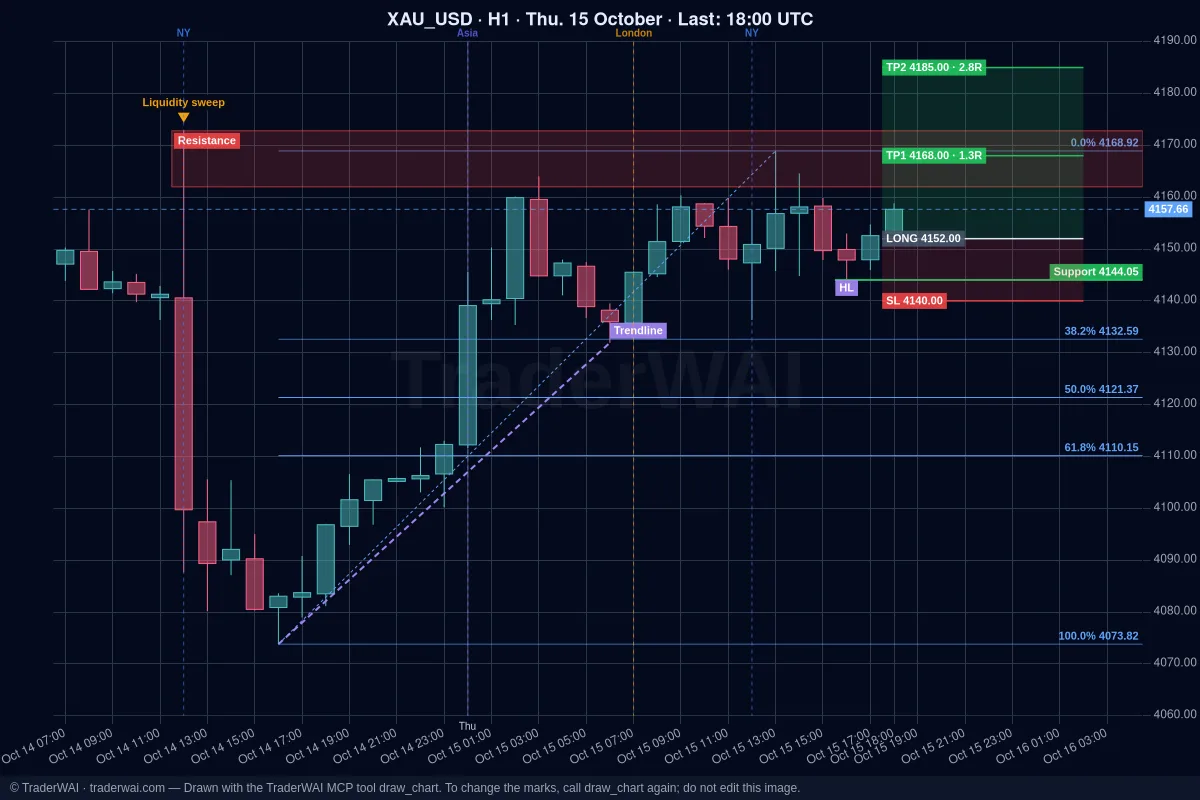

Gold is one of the most traded markets by retail traders, and one where AI can help a lot: it moves fast, reacts to sessions and news, and respects levels like the Asian range or the previous day's high. Here's a practical workflow with your AI and TraderWAI, from the first look at the chart to an order on your broker.
1. Let your AI see the chart
Once TraderWAI is connected to your AI (Claude, ChatGPT or Grok), ask for a top-down read:
- "Look at XAU/USD on H4, H1 and M15. What's the structure on each, and where are the key levels?"
- "Mark the Asian session high and low for today and yesterday's high and low."
Your AI gets the chart image (to read structure and patterns) and the exact candle data (for precise levels), updated every minute.
2. Test the idea before risking money
A classic gold setup is the London breakout of the Asian range, or its opposite, the liquidity sweep: price takes the Asian high, then closes back inside. Ask your AI to test it on historical data:
- "Backtest selling gold when price sweeps the Asian session high between 07:00 and 10:00 UTC and an M5 candle closes back below. Stop above the wick, target 2R, last 60 days."
You get every trade, the win rate, the total in R and the drawdown in a few seconds (the Free plan tests the last 14 days; Trader goes back 1 year). Add filters to compare versions, for example only if price is below the D1 EMA 50.
3. Let TraderWAI watch for the setup
If the idea holds up, turn it into a conditional order (every plan; 1 new a day on Free, 2 active): TraderWAI checks the rule every minute and, when it triggers, proposes or places the order with your size and risk. No need to watch the screen during the London open.
4. Place the order with your risk
Or place it yourself when you see it:
- "Sell gold at market, stop above 4,186, target 2R, risk 0.5% of my balance."
Before the order, your AI checks your broker's live price (gold spreads vary between brokers), sizes the position from your risk and checks your limits. The order waits for your approval by default.
Things to keep in mind with gold
- Spreads and sessions. Spreads widen around the daily rollover and big news. Avoid market orders right at those moments.
- Size by risk, not by lots. A 10-dollar stop on gold is very different from 10 pips on EUR/USD. Let the AI size from your risk percentage.
- Data source. Charts come from TraderWAI's market feed, which can differ slightly from your broker's prices; orders always use your broker's live price.
Platforms
Gold works on MetaTrader 4/5, cTrader, TradeLocker, Match-Trader and DXtrade with any broker that offers XAU/USD. The Free plan includes cTrader, TradeLocker and Match-Trader.
Common questions
Can AI analyse XAU/USD charts? Yes. Your AI gets the gold chart image and the exact candles on any timeframe, updated every minute, and reads the structure, the sessions and the key levels. Looking at charts and market data is unlimited on the Free plan.
Can the AI place a gold order on news? TraderWAI gives your AI charts, prices and your account, not a news feed. AIs with web search can read the headlines; the order still uses your broker's live price, is sized from your risk and waits for your approval. Spreads widen around big news.
Does the AI trade gold on its own? Only if you turn on auto-execution for XAU/USD. By default every order waits for your approval, and your risk limits are checked first.